The Text That Went Out at 11 PM

It's 11:04 PM.
Your phone buzzes. It's a client.
"Why am I getting texts from you at eleven at night?"
Then another one. "Also, I paid this invoice yesterday."
You open your laptop. There's the reminder that went out anyway. There's the invoice email with last month's PDF attached. And there's a message you've never seen before, drafted by software and sent without anyone reading it.
You didn't send any of it. But your name is on all of it.
Your business talks to clients all day. Who's checking?
Every trades business sends a steady stream of messages. Invoices. Quotes. Payment reminders. Review requests. Appointment updates. And now, more and more, messages drafted by AI.
In most software, each of those comes from a different corner of the app, and nobody sees the whole picture. You find out something went wrong when a client tells you.
And even when it goes right, you don't really know. "Sent" isn't the same as "they got it."
So we rebuilt how CrewOS talks to your clients. One rule sits under all of it:
Your client messages go through one place you control, and you know whether they landed.
One queue for your client messages
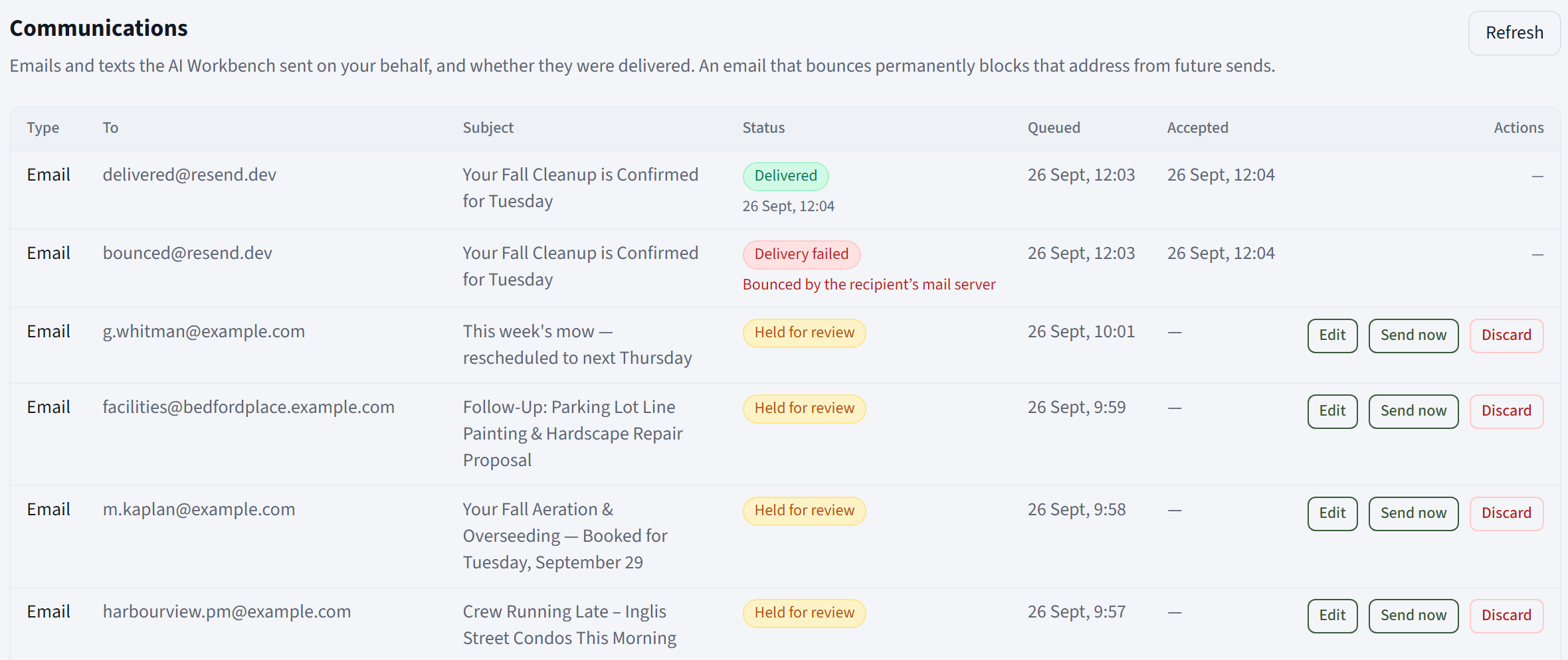
Invoices, quotes, payment reminder emails, review requests and AI-drafted messages now all flow through a single Communications page.
You can see every message: who it's going to, what it's about, and exactly where it stands. Queued. Held for review. Scheduled. Delivered. Failed.
One page. No more guessing what went out today.
Your AI can't message a client without your say
AI-drafted client messages are held for review by default.
Nothing goes out until someone presses Send now. Not tonight. Not ever, unless you say so.
And held messages don't sit forgotten. A banner on your home screen shows how many are waiting, and CrewOS sends a reminder email if something's been sitting too long.

Set the rules, and test them before they go live
Maybe you want routine crew updates to go out on their own, but anything over $10,000 to wait for a manager's approval.
In Message send policy, you write those rules yourself. Match on channel, job type, recipient, dollar amount, after-hours timing or attachments. Then decide what happens:
| Outcome | What it does |
|---|---|
| Auto-send | Goes out on its own |
| Hold for review | Waits in the queue until someone presses Send now |
| Hold for approval | Routes into your existing Approvals flow for a sign-off |
| Suppress | Never goes out |
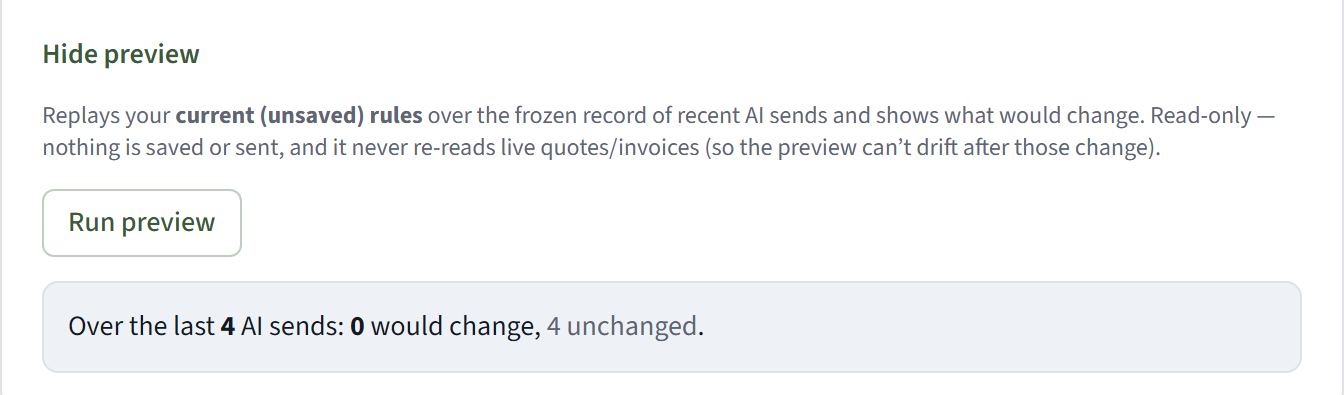
Here's the part we're proud of. Before you save, you can preview your rules against real messages from your recent history. CrewOS shows you what would have happened differently.
You can see what your rules will do before they do it.
Fix it before it goes
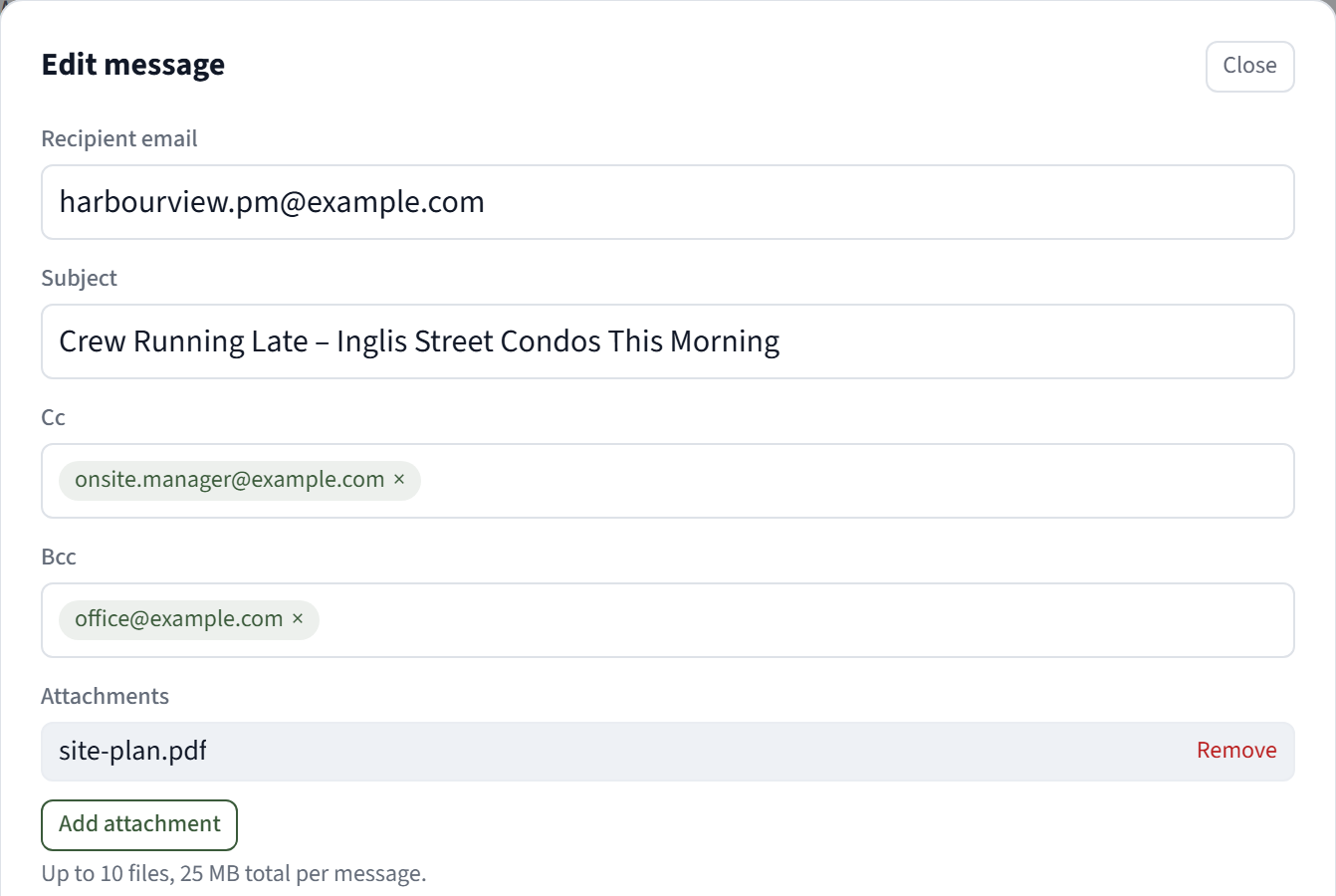
A held message that's almost right shouldn't have to be thrown away.
- Edit it. Change the wording, the subject or the recipient. Every version is kept, and changing who it's going to runs it back through your rules.
- Add people. CC the property manager. BCC your bookkeeper.
- Attach what matters. Permits, photos, site plans, up to 10 files.
Invoices that are always current
This one's subtle, and it matters.
When you review an invoice or quote email, you approve the cover note. The document itself is always built from the live invoice or quote at the moment it sends.
And if someone changes that invoice after you reviewed it, CrewOS won't send it until it's been looked at again.
No more last month's PDF. No more "that's not the number we agreed on."
Know it landed
Sent isn't the finish line. Delivered is.
CrewOS now tracks each email and text through to the end. You see whether it was delivered or whether it failed, per recipient. If an address bounces, CrewOS stops sending to it, so you're not quietly emailing an inbox that doesn't exist.
When a client says "I never got the invoice," you'll know in one look whether that's true.

The quiet protections
Some of the best parts of the new system are the ones you never have to think about:
- Payment reminders cancel themselves if the invoice gets paid before the reminder goes out.
- Contact preferences are respected. Each contact's texting consent and quiet hours are checked before any text goes out.
- No text storms. Several texts headed to the same number at the same moment are merged into one.
- Failures don't hide. If a send fails, you see why, with a Retry button right there.
- Your brand, every time. Editable message templates, and your logo on your emails.
Back to 11:04 PM
Let's run that night again.
- The message nobody read is sitting in the queue, held for review. Nobody pressed Send now, so it didn't go.
- The payment reminder cancelled itself when the invoice was paid yesterday.
- The invoice email carries the current invoice, not last month's.
And your phone doesn't buzz. You're asleep.
That's what control of your client communication looks like. Not more messages. The right ones, going out when you want, to the right people, and actually landing.
That's the day. Morning, noon and night, CrewOS keeps your office and your crews on the same page. Start with the morning or the office at noon, then try it with your own jobs.